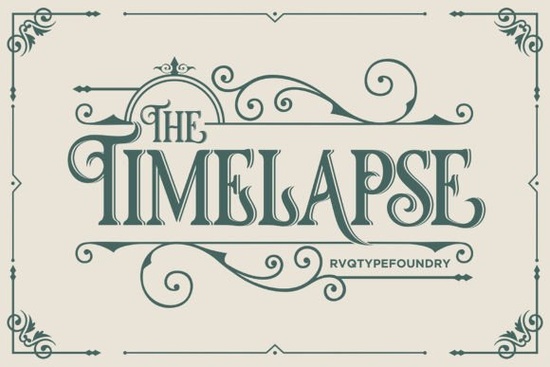
Timelapse Font is a bold, thick blackletter typeface designed to make a strong visual impact. If you've been looking for a gothic-style font that works across both digital and print projects, this one delivers clean results without requiring extra design software. It's PUA encoded, which means every glyph, swash, and alternate character is accessible directly from your keyboard or character map no special applications needed. That alone makes it a practical pick for anyone who works with fonts regularly.
What Exactly Is a Blackletter Font?
Blackletter fonts trace back to medieval manuscripts and early European printing. They feature heavy strokes, sharp angles, and ornate letterforms that feel dramatic and historic. Designers today reach for them when a project calls for a vintage, edgy, or premium look think tattoo shop logos, heavy metal album covers, gothic wedding invitations, or luxury brand packaging.
The Timelapse font takes that classic blackletter structure and gives it a bold, modern weight. The thick lettering holds up well at larger sizes and stays readable in headlines, titles, and display text.
What Can You Use Timelapse Font For?
Because of its bold weight and gothic personality, this font fits a wide range of creative work. Here are some popular uses:
- Print-on-demand products – T-shirts, hoodies, mugs, and posters often benefit from bold display typefaces with character.
- Logo design – Brands in music, fitness, streetwear, and craft beverages frequently use blackletter styles for a distinctive mark.
- Social media graphics – Bold fonts grab attention in fast-scrolling feeds, especially for quotes, announcements, and promotional posts.
- Event invitations – Halloween parties, gothic-themed weddings, and themed events pair naturally with this kind of lettering.
- Greeting cards and stationery – Crafters who sell handmade cards or digital templates on Etsy can add a dramatic flair with a typeface like this.
- Book covers and album art – Dark fiction, fantasy genres, and music projects often rely on blackletter fonts for cover typography.
If you've browsed other blackletter fonts before, you'll notice that Timelapse stands out for its weight and consistency across characters. It doesn't sacrifice readability for style, which is a common issue with decorative typefaces.
What Does PUA Encoded Mean and Why Does It Matter?
PUA stands for Private Use Area. When a font is PUA encoded, all of its special characters including swashes, alternates, ligatures, and decorative extras are mapped to a private Unicode range. This means you can access them through basic tools like:
- Character Map on Windows
- Font Book on Mac
- The glyph panels in Adobe Illustrator, Photoshop, or InDesign
- Apps like Cricut Design Space and Silhouette Studio
You don't need advanced software or plugins. This is especially helpful for small business owners and crafters who work in simpler design programs. Every glyph in Timelapse Font is ready to use right out of the box.
How Does It Compare to Other Gothic Fonts?
There are plenty of blackletter and gothic fonts available, but they vary a lot in quality and usability. Some look great in previews but fall apart when you actually try to use them letters don't align, spacing feels off, or special characters are missing entirely.
Timelapse holds up well because it's built with a thick, consistent stroke weight that reads clearly even at smaller display sizes. If you want something with a slightly different personality, Iron Gothic is another blackletter option worth exploring. It leans into a sharper, more industrial feel compared to the bold manuscript style of Timelapse.
For designers who regularly work with gothic type, having a few different styles in your collection gives you flexibility across client projects and personal work.
Is This Font a Good Fit for Commercial Projects?
Yes. Timelapse Font comes with a license that covers commercial use, so you can use it in products you sell whether that's physical merchandise, digital downloads, or client design work. Always check the specific license terms on the product page to make sure your intended use is covered, but for most standard commercial applications, you're good to go.
Quick Checklist Before You Start Using Timelapse Font
- Download and install the font files on your computer (TTF or OTF format).
- Restart your design software so the font appears in your font menu.
- Open the glyph panel in your preferred app to browse all available characters and swashes.
- Test at different sizes to see where the font looks its best typically bold headlines and display text.
- Review the license to confirm it fits your project type, especially for commercial or print-on-demand work.
Tip: Pair Timelapse with a simple sans-serif body font for contrast. Blackletter typefaces work best as display or headline fonts using them for long paragraphs can hurt readability. A clean companion font keeps your designs balanced and professional.
Explore Design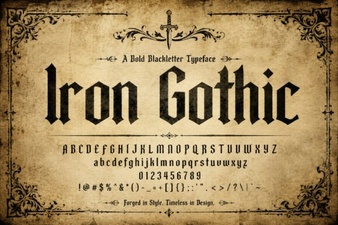 Iron Gothic Font: Bold Design Ideas for Creative Projects
 Elegant Wedding Day Font for Invitations and Diy Projects
 Enchanting Tarot Fonts for Mystical Design Projects
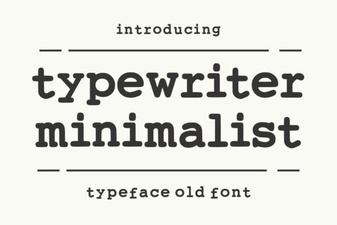 Typewriter Minimalist Font for Clean Retro Design
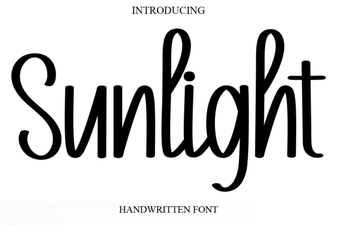 Sunlight Font: Bright and Warm Typography for Creative Designs
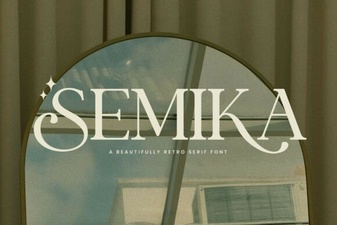 Semika Font: Elegant Design for Creative Projects